 Call Now

ClearTax GST Offline
- Create FREE Invoices offline for your business & clients
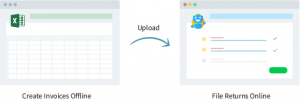
- Then Export & Upload Invoices on Cleartax GST to File Returns Easily
- It’s always Free! Share freely with your CAs & Clients
Microsoft Excel 2013 or 2016 running on a Windows PC is required to use ClearTax GST Offline Tool.
Keep checking this page for updates. We regularly add new features in our Excel utility

Features of ClearTax GST Offline Version 1.0
- Create Sales Invoices, Outward Bill of Supply and Reverse Charge
- Print Invoices with one click (as many times as you want)
- Print original Invoices and save with one click
- Validations & guides to avoid errors
- Directly upload excel file to prepare GSTR-1 on ClearTax GST Online Software
Upcoming Features
- Self invoicing & purchase invoices
- CDNs, Advances etc
Get GST Offline Tool Installed in seconds
- Submit your Email id. We will send the Excel file & How to use guide on email. Download it from your email
- Unzip the zip file downloaded and open the excel file named “____”. Please make sure you have Microsoft Excel 2013 or 2016 with Microsoft Windows
- A dialogue box on Microsoft Excel Security Notice pops up. Click on the Enable Macros Option
- Start creating invoices

Watch How to Create Invoices in Excel with ClearTax GST Offline Tool
Learn How Easy GST Offline Excel Utility is with This Guide
Upload Invoices on ClearTax GST Software to File Returns in One Click
After creating invoices with ClearTax GST Offline Tool, upload all invoices to the ClearTax GST online platform with one click for filing. The online software auto-populates the return forms using data from the uploaded invoices. Review the final invoices and file your returns in less than 7 minutes

Price of ClearTax GST Offline Tool
It’s FREE
Yes. ClearTax GST Offline Tool, the Excel Utility, is always Free for all.
Use it for your business or share it with all your clients.
Frequently Asked Question
- What is the price?
- It’s Free forever.
- Which version of Excel is required?
- Excel 2013 and 2016 will support the file.
- Does it work on Apple Mac?
- No, All the features don’t work for Mac
- I have Windows XP? Does it work on that?
- File will be functional of Windows XP if the system has Excel 2013 or newer version installed.
Attend FREE Training to learn about GST & GST Software
- Training in English and हिन्दी
- Attend at your convenience – 6 sessions every day; 6 days every week
- ~50,000+ businesses, CAs and Tax Professionals have already benefited

Have Queries? Contact our support team
gstsupport@cleartax.in 080-67458707


Products
Resources & Guides
Cleartax is a product by Defmacro Software Pvt. Ltd.

ISO 27001
Data Center

SSL Certified Site
128-bit encryption